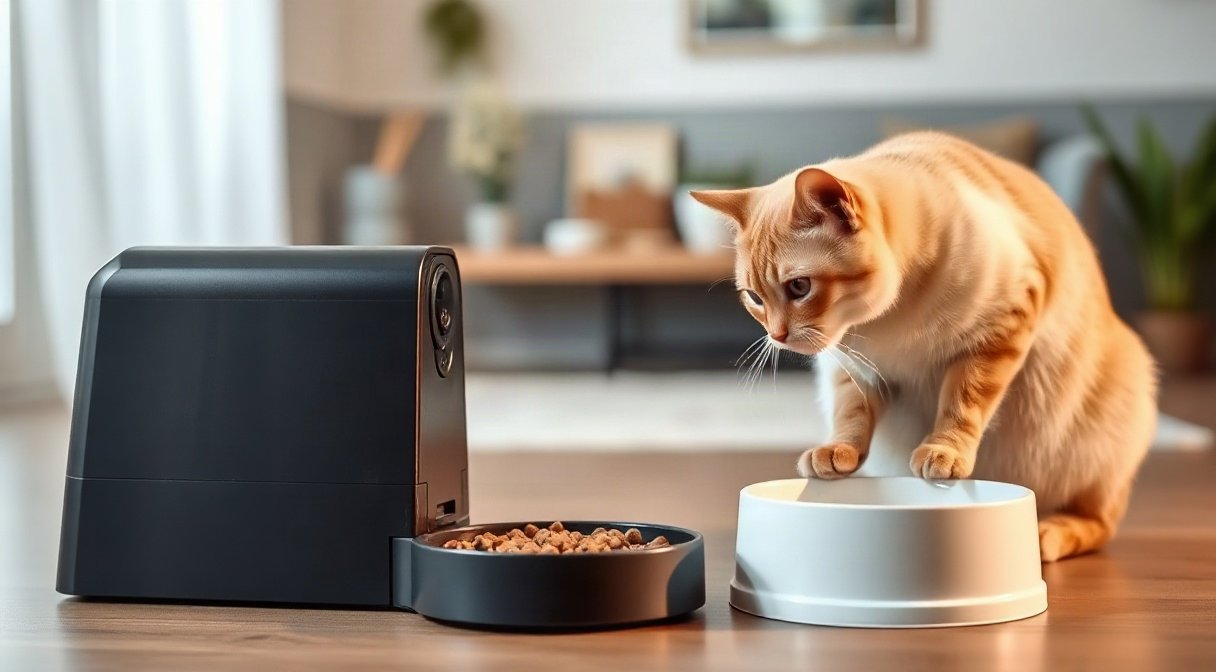
Leaving a cat at home while you travel means trusting a device with two jobs: dispensing meals on schedule and showing you what is happening around the bowl. The best automatic cat feeder with camera should make both tasks reassuring, not introduce new worries about missed portions, lost WiFi or a black screen after dark.
This practical comparison looks at four camera-equipped feeders and the details that matter most to traveling owners: portion consistency, app reliability, night vision, capacity and backup planning. Product features can vary by model and region, so confirm the current listing and manual before buying. This is a product-focused review, not a claim of laboratory testing or veterinary certification.
Best Automatic Cat Feeder With Camera: What to Compare
A camera feeder combines a timed dispenser with a connected viewing system. That sounds simple, but the experience depends on several independent parts: the food path, portion setting, home network, phone app, camera and power source. A dependable choice should perform adequately across all of them. A sharp video stream cannot make up for a jammed kibble chute, and a precise dispenser is less reassuring if its app stops reporting whether a meal went out.
For travel, prioritize dependable scheduled feeding over novelty features. Look for a setup that lets you set and review meal times remotely, check the food supply, and receive useful alerts. A two-way microphone can help you speak to a cat, but it is not a substitute for a caregiver who can respond to illness, a spill or a mechanical failure.
| Feeder | Best suited to | What to examine | Relative position |
|---|---|---|---|
| PETLIBRO Granary WiFi Camera Feeder | Owners wanting a balanced camera-and-feeding setup | App alerts, food path and camera angle | Midrange feature set |
| PETKIT YumShare Solo | App-focused households with one cat | Portion increments, network compatibility and capacity | Feature-rich option |
| WOPET Smart Feeder with Camera | People prioritizing a larger hopper and remote viewing | Current model’s camera and scheduling controls | Often positioned as a value option |
| Faroro WiFi Automatic Feeder with Camera | Budget-conscious buyers who want a camera included | App support, night image quality and feeder access | Entry-level choice |
Use the table as a shortlist, not a promise that every product revision shares identical specifications. Manufacturers can change app features, bundled adapters, hopper design and camera resolution between versions. Read the exact model name, check whether the app supports your phone and region, and inspect the manual for WiFi requirements before ordering.
Portion accuracy is especially easy to misunderstand. Many devices dispense by motor turns or preset portions rather than weighing every serving. Kibble shape, size, oiliness and hopper fill can affect how much actually reaches the bowl. The most useful real-world check is to run repeated portions using the food your cat eats, collect them in a measuring cup or weigh them, and look for repeatability. If the serving varies, adjust the setting or choose a different feeder before relying on it away from home.
App reliability is similarly more than a successful first connection. Check whether schedules remain stored on the device if the internet drops, what alerts appear after an error and whether the video loads over cellular data. Night vision should show the cat and bowl clearly enough to identify activity, not merely produce a bright, grainy patch. For broader home planning, our compact storage ideas for small apartments can help you find a stable, accessible place for the feeder.
The best automatic cat feeder with camera is therefore the one whose routine works under ordinary conditions in your home. Compare the specific features below, then test feeding and connectivity before a trip rather than selecting by camera resolution alone.
PETLIBRO and PETKIT: App and Camera Standouts
PETLIBRO Granary WiFi Camera Feeder
The PETLIBRO Granary WiFi Camera Feeder is a strong all-around candidate for owners who want scheduled dry-food dispensing and a built-in view of the feeding area. Its appeal is the combination: you can manage a routine in the companion app and check in visually without installing a separate camera. Depending on the exact version, listings describe features such as video monitoring, night vision, voice interaction and feeding notifications. Confirm the details for the model sold in your market.
Its practical strength is convenience. A single appliance keeps the camera and dispenser pointed at the same place, making it easier to see whether a cat has approached the bowl. A covered hopper can also help keep dry food contained between meals. For a traveler, the best use is routine monitoring: confirm that the bowl area is visible, review the feeding schedule and check that the camera can reconnect after the router or feeder is restarted.
The trade-offs are the usual connected-device dependencies. The camera view can be limited by where the feeder sits, and a cat standing close to the lens may partly block the image. Portion settings are not the same as a verified gram-by-gram measurement, so calibrate with your own kibble. App performance also relies on a stable home network and supported WiFi band; do not assume a device that requires 2.4 GHz will join a 5 GHz-only network.
- Good for: Owners looking for one unit to dispense meals and monitor a bowl.
- Less suited to: Cats eating wet food, homes with unreliable WiFi, or owners who need medical-grade portion measurement.
- Check before buying: Camera angle, notification options, backup power details and the exact hopper capacity for the model.
PETKIT YumShare Solo
PETKIT’s YumShare Solo is another app-oriented feeder that puts a camera into the feeding station. It may appeal to a one-cat household that values a tidy setup and wants a way to see mealtime remotely. Its camera-led design can make check-ins feel more immediate than relying only on a notification that a portion was dispensed. Look closely at the current product documentation for supported food type, app functions, storage options and network requirements because feature availability may differ by version.
Its best quality is the connected experience: the feeder is designed around managing and observing feeding from a phone. That can be useful when you want to confirm that the cat is using the station, rather than simply trusting a timer. The camera is most useful when aimed at the bowl and placed where ambient light, furniture and the cat’s body will not obstruct the view.
Potential drawbacks include a learning curve and reliance on the app ecosystem. Owners who prefer physical buttons and a straightforward timer may find connected menus unnecessary. A camera feed can also create false reassurance: seeing a cat on screen does not confirm that it ate an adequate amount or is otherwise well. As with any feeder, the serving should be checked with the food you intend to use, and app notifications should be tested before departure.
- Good for: Tech-comfortable owners who want app-based scheduling and visual check-ins.
- Less suited to: People wanting a simple offline-only unit or a feeder to serve wet meals.
- Check before buying: Whether your phone and home network meet the app requirements, plus how the product handles power or connection interruptions.
Between these options, the best automatic cat feeder with camera is not automatically the one with the longest feature list. PETLIBRO may make sense if you want a balanced feeder-camera combination, while PETKIT may suit buyers who value its app-centered setup. In both cases, treat the first week as a trial period: run meals while you are home, view the camera at night, and deliberately test alerts. That practical rehearsal reveals more than a feature badge on a product page.
WOPET and Faroro: Value, Capacity, and Trade-Offs
WOPET Smart Feeder with Camera
WOPET sells camera-equipped automatic feeders in multiple configurations, so shoppers should match the review and manual to the exact model rather than assume every listing is identical. These products generally target owners who want scheduled dry-food dispensing with remote viewing and app controls. Some versions emphasize a larger food reservoir, which can be useful when meals are frequent or the owner wants fewer refills. The actual usable capacity depends on the model and kibble, so treat the manual’s description as a guide rather than a guarantee.
The main attraction is a practical feature bundle at a value-oriented position. A camera lets you inspect the feeding area, while a programmed schedule can handle routine meals without a person present at each feeding. Before a trip, verify that the app shows the right schedule and that a test portion reaches the bowl. Review how the manufacturer describes alerts, manual feeding and backup operation; these details determine how useful the feeder is when something goes wrong.
Possible weaknesses include model-to-model variation and the fact that a large hopper does not make a feeder more accurate. A poorly matched kibble can bridge or dispense inconsistently, and a wide camera view may not show whether food is actually left in the dish. App quality is not something to infer from the feature list: install it, test the connection from outside the home and see how quickly the live view loads. WOPET is not the right choice for someone who wants a guaranteed always-on video connection or a measured portion without independent checking.
- Good for: Shoppers seeking a camera and scheduled feeder in one value-conscious unit.
- Less suited to: Owners who need exact weighed portions, wet-food feeding or a setup with no app dependency.
- Check before buying: Exact model, camera specifications, food compatibility, app reviews and outage behavior.
Faroro WiFi Automatic Feeder with Camera
Faroro’s camera-equipped feeders are commonly positioned as an entry-level way to add app access and a view of the bowl. The appeal is straightforward: buyers can try connected feeding without prioritizing a premium ecosystem or a separate indoor camera. Depending on the specific model, product listings may include night viewing, voice features and scheduled portions. Verify which features are actually included and whether the feeder works with your home’s network and phone.
For a budget-focused household, the camera can be valuable for basic reassurance. A visible bowl makes it possible to check whether a cat has visited, and remote scheduling can reduce the need for a neighbor to handle every routine meal. These strengths are most meaningful when the device is kept close to the router, the bowl is clearly framed and the owner has tested it over multiple days.
The compromise is that an inexpensive connected feeder can be less polished in areas that matter during travel: app support, alert clarity, setup instructions and the usefulness of the night image. These are not guaranteed faults, but they are the items to scrutinize in current customer feedback and the product manual. Do not buy based on a headline camera resolution alone. Confirm whether the app offers live viewing, what happens if a connection fails, and whether spare parts or support are available.
- Good for: Owners who want a more affordable camera-and-feeder combination and can supervise setup.
- Less suited to: People who need an extensively documented system or have little time to troubleshoot.
- Check before buying: Night image clarity, app maintenance, food path access and the manufacturer’s support process.
Across the two, WOPET may suit owners who value reservoir capacity and a broad feature set, while Faroro can be appealing when keeping the system budget-conscious matters more. Neither should be chosen on capacity or camera resolution alone. Compare the app experience, physical cleanability and exact feeding controls for the version in your cart. If your trip includes camping or another remote stay, our guide to a portable projector for camping covers a separate kind of travel tech; for your cat, however, a responsible in-home caregiver remains the essential backup.
For shoppers comparing smart pet feeder reviews, these two products underline an important point: value is not just a lower upfront cost. A device that is easier to clean, reconnect and confirm may be the better value for a traveler. Consider how much help you can get locally if it stops dispensing, and whether the camera provides genuinely useful evidence of the cat’s routine.
How to Judge Portion Accuracy, App Reliability, and Night Vision
Portion consistency deserves the first hands-on check because it directly affects the cat’s routine. Automatic feeders typically use a rotating mechanism or another timed dispensing system; a setting labeled as a portion does not necessarily equal a fixed weight for every kibble. Different food shapes settle differently, and small changes in hopper fill can affect flow. Measure several servings with the intended food, compare the results and ask your veterinarian about an appropriate daily amount if your cat has a medical or weight-management need.
A useful home check is simple. Put a bowl or container under the outlet, run the same setting repeatedly and weigh or measure each serving. Note whether the output varies, whether kibble gets trapped and whether the feeder gives a clear error. Repeat the exercise when the hopper is full and when it is partly empty. This is not a laboratory accuracy certification, but it can reveal whether the machine is consistent enough for your routine. Recheck after changing food or cleaning the dispenser.
App reliability should be tested in ordinary and imperfect conditions. Create the schedule, close the app, reopen it and confirm that the planned meals remain visible. Test live video using both home WiFi and cellular data, and check whether alerts arrive when a feeding is completed or interrupted. Power-cycle the router or feeder while you are home to understand reconnection behavior. Make sure the feeder’s time zone and clock are correct; a schedule shifted by an hour is still a failure even if the app appears online.
WiFi requirements deserve attention before checkout. Many connected feeders use a 2.4 GHz network for setup and operation, while some routers combine bands under one network name. Check the manufacturer’s setup guide for supported security settings and network bands. If the app loses connectivity, determine whether the programmed schedule continues locally or depends on a cloud connection. That distinction matters: a camera stream may stop during an internet outage even if the feeder still serves saved meals.
Night vision quality is not captured by a resolution number alone. The infrared image should make it possible to distinguish the cat, bowl and nearby activity without turning the room lights on. Test with the feeder in its actual position after dark, then look for glare from reflective bowls, window reflections, shadows or a camera view blocked by the cat. A monochrome image can be perfectly useful if it shows the feeding area clearly. A high-resolution image that points at a wall is not.
Also consider privacy and data handling. Read the app’s permissions and account settings, use a unique password and enable available account protections. Check whether video is live-only or can be stored, and where recordings are kept. For food safety and handling, the FDA’s guidance on safe pet food handling is a useful independent reference. For feeding routines and nutrition questions, consult your veterinarian and the Cornell Feline Health Center’s cat-feeding information.
These checks help distinguish a promising product from a reliable routine. The best automatic cat feeder with camera should dispense food predictably, keep its saved schedule, reconnect sensibly and offer a night image you can interpret. No single feature proves that. A few supervised meals, repeated app checks and a dark-room viewing test will give you a more grounded answer than marketing claims.
Choosing a Feeder and Preparing for Travel
Start by matching the feeder to the cat rather than to the feature list. Confirm that the cat eats dry food suitable for the device, can comfortably reach the bowl and is not likely to shove, tip or paw open the hopper. In a multi-cat home, one feeder may not prevent food stealing or guarantee that each animal receives its own portion. A camera can show who visits, but it cannot enforce separate diets. Cats with prescription diets, medication needs or a history of eating problems require a plan approved by a veterinarian and a reliable person who can intervene.
Think about capacity in terms of the trip, not the largest number printed on a listing. The hopper should hold enough of the cat’s familiar food for the planned schedule, with a sensible margin, but food should not sit exposed longer than the product’s design supports. Keep the food dry, clean the bowl and hopper as directed, and do not mix old and fresh kibble without checking the manufacturer’s care instructions. A camera feeder is not a substitute for checking water, litter, room temperature or general wellbeing.
Before leaving, allow several days of supervised use. Introduce the feeder alongside the cat’s normal routine rather than abruptly replacing familiar meals. Start with a small test portion, observe whether the cat is comfortable with the motor noise, and gradually rely on scheduled feeding only after the mechanism behaves consistently. Monitor for food scatter, rejected kibble, a blocked outlet or a bowl that is too small. If the cat is wary, use the feeder as a supplement while a caregiver remains responsible for meals.
Make a written travel plan that includes:
- The feeding schedule and the amount the cat is expected to receive.
- How to open, refill and clean the unit, plus the food brand and type.
- What the app’s alerts mean and how to check the live camera.
- Where the caregiver can find replacement food, the manual and your veterinarian’s contact details.
- What to do if the feeder loses power, WiFi, food flow or app access.
Keep the feeder on a stable, washable surface and position the camera to show both the outlet and bowl. Avoid putting it where a door, bright window or reflective surface makes night viewing difficult. Route cables where a curious cat cannot chew or pull them. Check whether the model supports a battery backup, and understand that backup operation may preserve feeding while the camera or app remains unavailable. Never assume a backup feature exists just because another model in the same product family has one.
Do one full rehearsal before travel: let the device run through its schedule, check portions, inspect the bowl and open the camera remotely. Ask the caregiver to visit on a dependable schedule, even if the feeder and app appear to be working. Remote monitoring cannot diagnose dehydration, vomiting, injury or a change in behavior, and a notification cannot clear a jam. A human check is the most important safety net for longer trips.
The best automatic cat feeder with camera for a frequent traveler is a useful layer of support, not a replacement for care. Choose the product with a routine you can verify, an app you can operate and an image that is useful in your actual room. If network access is inconsistent or your cat needs close supervision, a simpler feeder paired with more caregiver visits may be the better choice.
FAQ: Camera Cat Feeders for Traveling Owners
Can a camera feeder replace a pet sitter?
No. It can dispense scheduled dry food and provide a view of the feeding area, but it cannot refill water reliably, clean litter, notice every health problem or respond physically to a jam. Arrange a responsible caregiver to check on the cat, with visit frequency appropriate to the cat’s age, health and needs. Use the camera as an extra check-in rather than the whole care plan.
Are automatic cat feeder portions accurate?
They can be consistent, but a preset serving is not necessarily a precise weight. Kibble dimensions, shape and flow can affect output. Test repeated portions using your cat’s actual food, then confirm the daily amount with your veterinarian when nutrition or weight is a concern. Recalibrate if you change food or notice irregular dispensing.
Will the feeder work if the internet goes down?
That depends on the model. Some feeders may continue a locally saved schedule while live video and remote controls become unavailable; others may rely more heavily on app or cloud access. Check the manual, then test a brief disconnection while you are home. Never assume an internet outage will have no effect on feeding.
Does night vision show a cat clearly in a dark room?
Usually, night vision uses infrared illumination to show a monochrome image, but clarity depends on camera placement, distance, reflections and the specific model. Test it after dark with the feeder in its intended location. Confirm that you can identify the cat and bowl, and watch for glare from shiny dishes or nearby windows.
Can these feeders dispense wet food?
Most camera-equipped automatic feeders in this comparison are designed for dry kibble. Wet food needs appropriate storage and temperature control, so use only a model explicitly designed for it and follow its food-safety instructions. Do not put wet food into a dry-food hopper just because the opening appears large enough.
What should I check before buying the best automatic cat feeder with camera?
Confirm the exact model, food compatibility, portion controls, app and WiFi requirements, night image, cleaning method and backup behavior. Look at how the camera frames the bowl and whether the feeder can be kept stable and accessible. Then test the complete routine while you are still home.
Conclusion: Pick the Feeder You Can Verify
PETLIBRO, PETKIT, WOPET and Faroro each offer a route to combining scheduled dry-food dispensing with remote viewing, but the right fit depends on your network, cat and tolerance for app setup. Compare the exact model, verify portions with your food and test the camera after dark. For travelers, dependable alerts and a caregiver plan matter more than an impressive feature count.
Choose the best automatic cat feeder with camera only after it has completed a supervised trial in your home. Confirm that meals arrive as expected, the app reconnects and night vision shows the bowl clearly. Then pair the feeder with routine human check-ins for a safer, more reassuring trip.